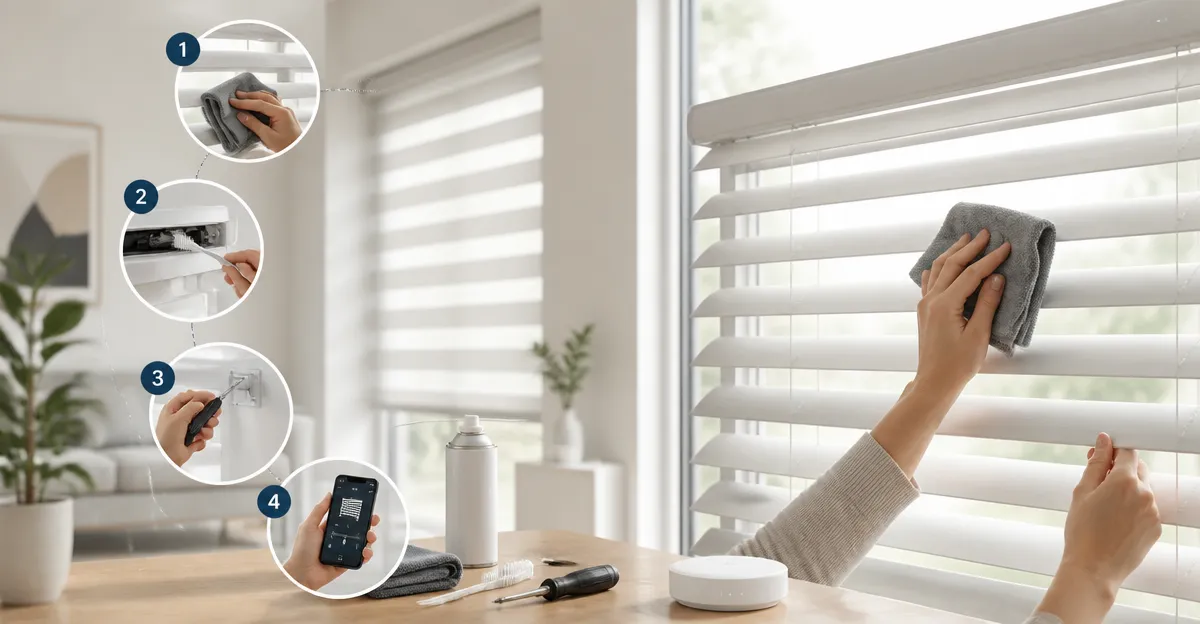
How to Create a Seasonal Maintenance Checklist for Smart Blinds — Essential Steps to Keep Motorized Shades Running Smoothly
Introduction
One will learn how to devise a comprehensive seasonal maintenance checklist that preserves the performance, safety, and aesthetic appeal of motorized window coverings. Proper upkeep prevents premature wear, reduces energy loss, and ensures that smart integrations such as voice control and scheduling remain reliable. This guide combines practical procedures with carefully selected tools, allowing homeowners to protect their investment without excessive technical expertise.
The following sections outline each maintenance phase, recommend specific products, and explain why those tools outperform generic alternatives. By following the checklist, one can extend the lifespan of motorized blinds by years while enjoying uninterrupted convenience.
What You'll Need
- A soft microfiber cloth or lint‑free cleaning pad.
- Mild soap solution (pH‑neutral).
- Screwdriver set for bracket adjustments.
- Battery tester or multimeter for checking power levels.
- Smartphone or tablet with the relevant blind‑control app installed.
- Internet connection for firmware updates.
- Optional tools listed in the product sections below.
Step 1: Assess the Installation Environment
Begin by verifying that each blind is mounted securely and that surrounding structures do not obstruct movement. Examine the headrail, brackets, and any adhesive mounts for signs of loosening. For window treatments that rely on a cordless design, such as KINCMO Motorized Blackout Blinds, the safety of the cordless mechanism is paramount because children and pets may interact with the rail.
Check the surrounding light exposure because solar‑powered units, like the SwitchBot Blind Tilt, depend on adequate sunlight to maintain battery charge. Record any windows that receive less than four hours of direct sun, as these may require supplemental charging.
Document the findings in a simple spreadsheet: column A for window location, column B for mounting type, column C for solar exposure, and column D for any observed issues. This baseline will simplify future seasonal reviews.
Step 2: Inspect Mechanical Components
Next, examine the motor housing, gear train, and tilt rod for wear or debris. The SwitchBot Blind Tilt employs a high‑precision motor that can adjust slats within two degrees; any obstruction can compromise that accuracy. Use a flashlight to view internal gears and listen for abnormal sounds during a brief manual activation.
If the blind utilizes a roller‑shade mechanism, such as the Hapadif Motorized Roller Shades, verify that the winding spring operates smoothly. The product features a three‑layer blackout fabric that adds weight; excessive friction may indicate a need for lubrication with a silicone‑based spray.
Replace any worn brackets with the supplied replacement screws. The KINCMO model includes a quick‑install remote that pairs automatically, reducing the need for additional hardware.
Step 3: Clean Fabric and Tracks
Dust and pollen can accumulate on the fabric surface and within the headrail channel, diminishing blackout efficiency and causing motor strain. Gently vacuum the fabric using a brush attachment, then wipe the rail with a damp microfiber cloth and a mild soap solution. The KINCMO blinds boast a 4‑layer fabric that blocks UV light; maintaining cleanliness preserves that protective layer.
For horizontal blinds equipped with the SwitchBot Blind Tilt, clean the tilt rod and the surrounding plastic housing. Avoid abrasive cleaners, as they may damage the light‑sensing component that automatically adjusts slat angle based on ambient brightness.
Allow all cleaned components to dry completely before re‑activating the motor, preventing moisture‑related short circuits.
Step 4: Test Smart Functions and Connectivity
Open the associated mobile app and initiate a manual open/close command for each blind. Verify that the response time is within three seconds; delayed action may indicate Bluetooth interference or low battery voltage. The SwitchBot Motorized Blinds Kit includes a Matter‑enabled Hub Mini, which unifies Bluetooth, Wi‑Fi, and Thread protocols for reliable remote control.
Check voice‑assistant integration by issuing a simple command such as “Alexa, close the living‑room blinds.” The KINCMO blinds support Apple HomeKit, Alexa, and Google Home via Matter, ensuring seamless cross‑platform operation.
Record any devices that fail to respond and note the error messages. Most connectivity issues resolve after a firmware refresh, which is covered in the next step.
Step 5: Update Firmware and Verify Battery Health
Navigate to the firmware section of each app and apply any available updates. The KINCMO blinds receive over‑the‑air updates that improve motor efficiency and add new scheduling features. Updating the SwitchBot Blind Tilt firmware also refines the built‑in light sensor’s calibration algorithm.
Measure battery voltage using a multimeter or the app’s battery indicator. The SwitchBot devices contain a 2000 mAh lithium battery with solar recharging; a healthy charge reads above 3.6 V. If voltage falls below this threshold, schedule a full charge cycle or replace the batteries. The Hapadif shades rely on replaceable AA batteries; reviewers report five months of reliable operation, suggesting a quarterly replacement schedule for optimal performance.
Document the firmware version and battery status for each blind in the spreadsheet created during Step 1.
Step 6: Document Findings and Schedule Future Checks
Consolidate all observations, measurements, and corrective actions into a single maintenance log. Include date, technician (or homeowner) name, and any parts replaced. This log serves as a reference for warranty claims, especially for products such as the KINCMO blinds, which have received praise for responsive customer service.
Set calendar reminders for the next seasonal review. Most manufacturers recommend a bi‑annual check: once in early spring before increased daylight, and once in late autumn before heating season. Adjust the reminder frequency for high‑traffic areas, such as living‑room blinds controlled by the SwitchBot Motorized Blinds Kit 3‑Pack, which experience more frequent adjustments.
By following this structured checklist, one ensures that motorized blinds remain quiet, energy‑efficient, and fully integrated with smart‑home ecosystems throughout the year.
Tips & Pro Tips
- When cleaning blackout fabrics, avoid saturating the material; excess moisture can seep into the motor housing.
- For solar‑powered units, position the solar panel at a 45‑degree angle toward the sun during peak hours to maximize charge.
- Use the app’s group function to synchronize multiple blinds; the SwitchBot Hub Mini allows unlimited groups, simplifying morning routines.
- Consider adding a small strip of weather‑proof foam to the top rail of Hapadif roller shades to eliminate edge light leakage, as noted by users.
- If a motor produces louder-than‑expected noise, inspect the gear mesh for debris; a quick brush can often restore the near‑silent operation praised by KINCMO customers.
Troubleshooting
| Problem | Possible Cause | Solution |
|---|---|---|
| Blind does not respond to app command | Out‑of‑range Bluetooth or depleted battery | Bring device within 10 m of phone, charge battery, then retry. |
| Slats stop at incorrect angle | Light sensor mis‑calibrated | Re‑calibrate via the app’s calibration routine; ensure ambient light is stable. |
| Motor hums loudly | Gear wear or obstruction | Inspect gear train, remove debris, and apply a drop of silicone lubricant. |
| Solar panel not charging | Insufficient sunlight or panel mis‑aligned | Adjust panel angle, clean surface, or use manual USB‑C charging as backup. |
Conclusion
One has now acquired a detailed seasonal maintenance checklist that safeguards the functionality, safety, and energy efficiency of smart blinds. By assessing the environment, inspecting mechanical parts, cleaning fabrics, testing connectivity, updating firmware, and documenting results, homeowners can prevent costly repairs and enjoy uninterrupted automation. The recommended tools—including KINCMO Motorized Blackout Blinds, SwitchBot Blind Tilt, SwitchBot Motorized Blinds Kit 3‑Pack, SwitchBot Motorized Blinds Kit, and Hapadif Motorized Roller Shades—provide reliable performance and integrate smoothly with leading voice‑assistant platforms.
Implement the checklist today, set recurring reminders, and experience the long‑term benefits of well‑maintained motorized window coverings.
Products Mentioned in This Guide
Frequently Asked Questions
How often should I perform seasonal maintenance on my smart blinds?
Inspect and clean the blinds at the start of each season—typically four times a year—to keep mechanisms and sensors functioning optimally.
What cleaning method is safest for motorized blind fabrics?
Use a soft microfiber cloth with a mild pH‑neutral soap solution, wiping gently to avoid damaging the motor housing or electronics.
How can I check the battery health of cordless smart blinds?
Use a battery tester or multimeter to verify voltage levels; replace batteries when they drop below the manufacturer’s recommended threshold.
Do I need special tools to adjust blind brackets during seasonal checks?
A standard screwdriver set is sufficient for tightening brackets and ensuring proper alignment after seasonal temperature shifts.
Why is it important to update the smart blind app before each season?
Updating the app ensures compatibility with voice assistants and scheduling features, preventing glitches caused by outdated firmware.