Introduction
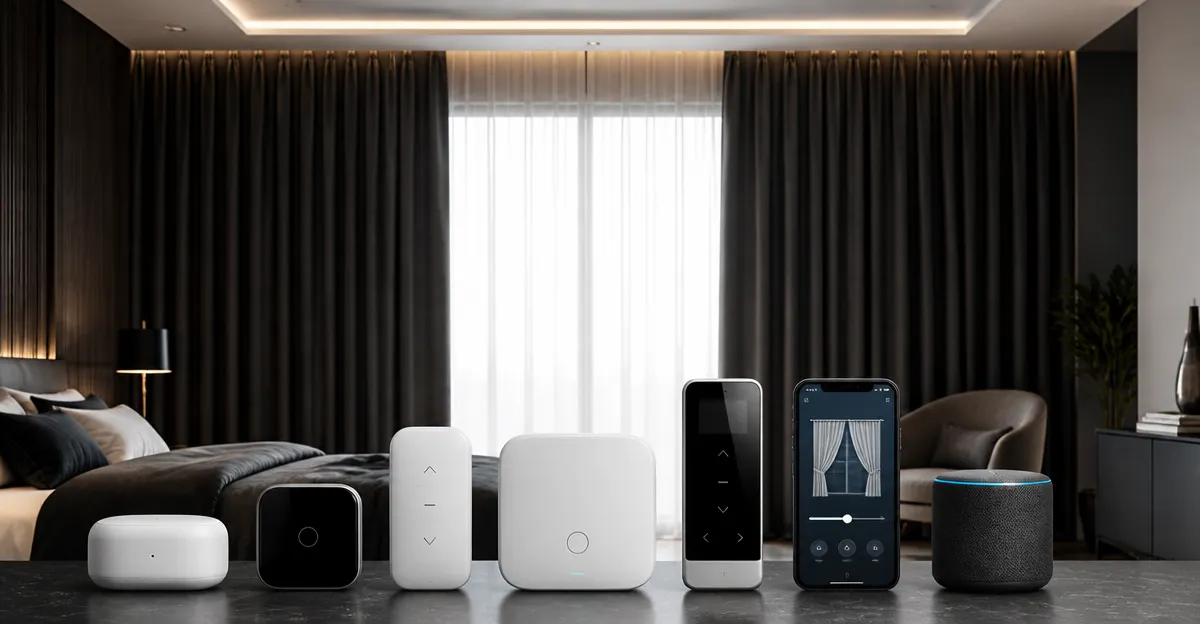
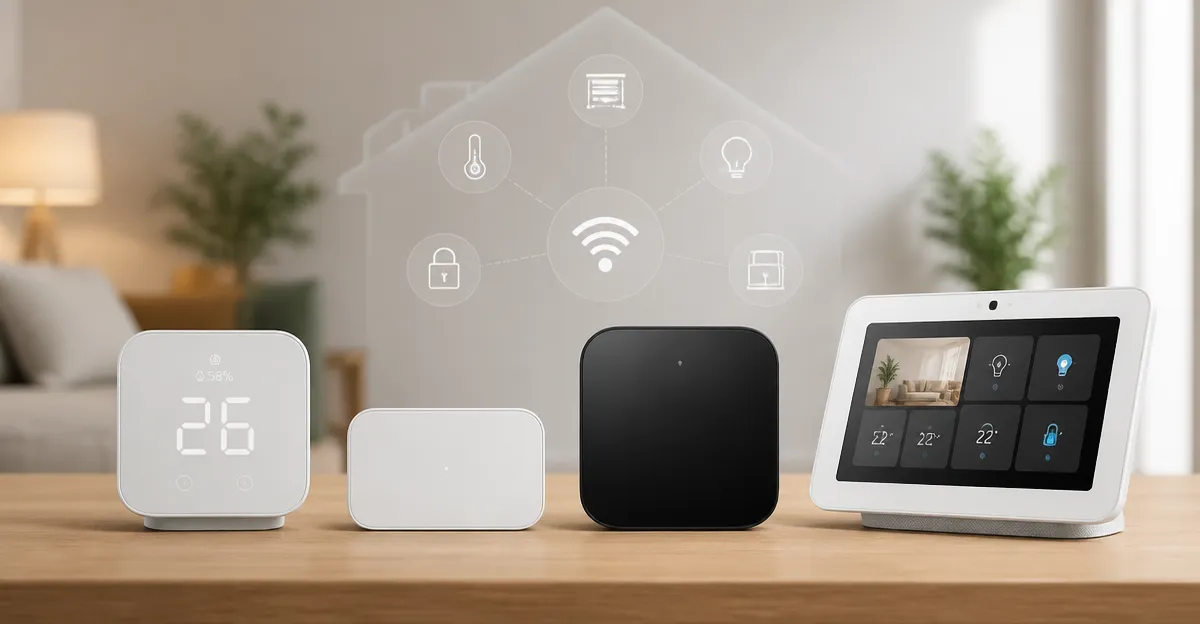
Smart‑home hubs act as the central nervous system for connected devices, translating user intent into actionable commands. Selecting the right hub influences reliability, energy consumption, and overall convenience. This article evaluates four popular hubs – SwitchBot Hub 2, SwitchBot Hub Mini, Amazon Echo Hub and SwitchBot Hub 3. By examining price, features, customer sentiment and performance, readers can decide which device aligns with their space, power, compatibility or budget constraints.
Individual Product Overviews
SwitchBot Hub 2
The second‑generation Hub integrates a Swiss‑made temperature and humidity sensor with ±1.8% RH / ±0.36°F accuracy, and adds a light sensor for adaptive screen brightness. It consolidates infrared remotes through Smart Learning, enabling voice control via Alexa, Google Home and Apple Home. Two smart buttons facilitate scene activation for users who prefer tactile interaction. Matter support extends compatibility to SwitchBot locks, curtains and blinds, while the device requires a 2.4 GHz Wi‑Fi network. At $49.99 it offers a balance of sensor data and remote control capabilities.
SwitchBot Hub Mini
The Hub Mini is a compact USB‑powered IR blaster that learns remote commands in roughly five seconds. It pairs air conditioners, TVs and other infrared appliances, and works with Alexa, Google Assistant, Siri and IFTTT. The device relies exclusively on 2.4 GHz Wi‑Fi and is portable enough to be placed anywhere in the home. Priced at $26.58, it presents a low‑cost entry point for users seeking universal remote functionality without a built‑in display.
Amazon Echo Hub
The Echo Hub is an 8‑inch wall‑mounted control panel that runs Alexa+ and integrates with Ring cameras, smart locks and a broad range of Zigbee, Matter, Thread and Sidewalk devices. Users can customize dashboards, create routines and view live camera feeds. The device is designed for wall mounting, offers power‑over‑Ethernet (with separate adapter), and emphasizes privacy with a microphone‑off button. Its price of $74.99 positions it between the SwitchBot offerings, targeting households that desire a dedicated touchscreen interface.
SwitchBot Hub 3
The third‑generation Hub adds a 2.4‑inch IPS screen, a rotary dial and four programmable soft keys. It retains the high‑precision temperature/humidity sensor (±0.2 °C) and expands Matter support to act as a bridge for up to 30 devices. Infrared control remains, and the hub can display indoor climate, lock status and CO₂ levels. At $79.99, Hub 3 targets users who want both a visual display and extensive physical controls.
Head‑to‑Head Comparison
Price and Value
- Hub Mini: $26.58 – the most affordable, ideal for budget‑conscious users.
- Hub 2: $49.99 – mid‑range price with built‑in sensors and Matter support.
- Echo Hub: $74.99 – higher cost for a dedicated touchscreen and multi‑protocol hub.
- Hub 3: $79.99 – premium price justified by a screen, dial and expanded Matter bridge.
Features and Specifications
| SwitchBot Hub 2 | SwitchBot Hub Mini | Amazon Echo Hub | SwitchBot Hub 3 |
|---|---|---|---|
| Built‑in temp/humidity sensor (±1.8% RH / ±0.36°F) | No built‑in sensors | No built‑in sensors (relies on connected devices) | IPS screen with temp/humidity sensor (±0.2 °C) |
| Light sensor for adaptive brightness | None | Customizable dashboard, 8" touchscreen | Rotary dial, 4 soft keys, screen dimming |
| Matter support for SwitchBot devices | None | Zigbee, Matter, Thread, Sidewalk | Matter bridge for up to 30 devices |
| IR learning for multiple appliances | IR blaster with 5‑second learning | Supports IR via Alexa routines only | IR emitter with extensive range |
| Power: 2.4 GHz Wi‑Fi only | USB‑powered, 2.4 GHz Wi‑Fi only | Wi‑Fi, Bluetooth, Zigbee, PoE optional | 2.4 GHz Wi‑Fi only |
| Physical buttons: 2 smart buttons | None (app‑only) | Touchscreen, voice only | Dial + 4 programmable keys |
Customer Ratings and Feedback
Hub 2 holds a 4.3/5 rating from 11,588 reviews, with users praising its temperature‑driven automation (“Working well with my switchbot ‘finger’ to control my ‘dumb’ AC”). However, several reviewers note intermittent Wi‑Fi drops (“Wifi disconnects a minimum of 2 times per day”).
Hub Mini shares a 4.2/5 rating from 55,893 reviews. Positive comments highlight the universal remote learning (“I wanted a hub to be able to use Fingerbots outside of Bluetooth range”). Negative feedback centers on app instability (“the app is VERY broken, and will not allow me to access any of the devices”).
Echo Hub’s rating is 3.9/5 from 1,857 reviews. Enthusiasts appreciate the wall‑mounted dashboard (“exactly what I've been looking for”), while critics complain about sluggish performance (“The screen is REALLY sluggish”).
Hub 3 receives a 3.8/5 rating from 1,823 reviews. Reviewers enjoy the tactile controls (“The rotary dial and soft keys are incredibly handy”), yet some find the universal remote feature lacking (“The Universal Remote is a piece of junk”).
Performance and Reliability
Hub 2 delivers reliable temperature monitoring, yet several users experience Wi‑Fi reconnection issues after firmware updates. Firmware responsiveness appears critical; one reviewer noted that “updating the firmware immediately” resolved early‑stage problems.
Hub Mini’s performance is generally stable for infrared commands, but the app’s occasional network errors can hinder device addition. Users who rely on Fingerbots report seamless remote activation across Wi‑Fi ranges.
Echo Hub’s performance is mixed; the interface can feel like a low‑end tablet, causing delays when loading camera feeds or adjusting thermostats. Nevertheless, its multi‑protocol support provides broad compatibility.
Hub 3’s screen and dial function well for on‑site adjustments, and Matter bridging is praised for simplicity. Some users criticize limited button mapping and slow app interactions, suggesting that the hub’s value hinges on the visual interface.
Size, Power, Compatibility
- Hub Mini is the smallest (USB‑powered), making it ideal for cramped spaces.
- Hub 2 and Hub 3 are wall‑mountable units with modest dimensions; Hub 3 adds a visible screen.
- Echo Hub requires wall mounting and optional PoE; its larger footprint suits dedicated control panels.
- All devices require a 2.4 GHz Wi‑Fi network; only Echo Hub and Hub 3 support additional protocols such as Zigbee or Thread.
Pros & Cons
SwitchBot Hub 2
- Pros: Accurate temperature/humidity sensor, Matter support, two physical buttons for easy access, strong Alexa/Google integration.
- Cons: Wi‑Fi disconnects reported, no built‑in display, higher price than Mini.
SwitchBot Hub Mini
- Pros: Very affordable, fast IR learning, portable USB power, works with major voice assistants.
- Cons: No screen or sensors, app instability reported, limited to 2.4 GHz Wi‑Fi.
Amazon Echo Hub
- Pros: 8" touchscreen, supports Zigbee, Matter, Thread, Ring integration, customizable dashboard.
- Cons: Sluggish UI, limited grouping features, higher price for a tablet‑like experience.
SwitchBot Hub 3
- Pros: IPS screen with ambient data, rotary dial, four programmable keys, extensive Matter bridge.
- Cons: Expensive, limited button‑mapping flexibility, app can be slow.
Recommendations
Best for tight spaces and tight budgets: SwitchBot Hub Mini. Its USB power and compact form factor allow placement on a nightstand or shelf without wall mounting.
Best for comprehensive sensor data and Matter compatibility: SwitchBot Hub 2. The built‑in hygrometer and light sensor enable sophisticated automations.
Best for a dedicated wall‑mounted control panel: Amazon Echo Hub. Its larger screen and multi‑protocol support make it a central dashboard for households with many Alexa‑compatible devices.
Best for users who want tactile controls plus a visual overview: SwitchBot Hub 3. The dial and soft keys provide quick adjustments without opening an app.
FAQ
- Do these hubs work with Apple HomeKit? Hub 2 and Hub 3 support Matter, which enables Apple HomeKit control after a Matter bridge is established. Hub Mini does not natively support Matter, while Echo Hub works with HomeKit only via Matter‑compatible accessories.
- Can I use multiple hubs in the same house? Yes. Users often deploy a Hub Mini for each room and a central Hub 2 or Hub 3 for sensor aggregation. Echo Hub can coexist, but overlapping Zigbee networks may require channel coordination.
- Is a 5 GHz Wi‑Fi network ever usable? All SwitchBot hubs require a 2.4 GHz network; they will not connect to 5 GHz. Echo Hub can operate on both bands, but optimal performance is achieved on 2.4 GHz for IoT devices.
- What power source is needed for the Echo Hub? The Echo Hub can be powered via a USB‑C wall adapter or through Power‑over‑Ethernet using a separate PoE splitter. The hub does not include a built‑in PoE module.
- How many infrared devices can each hub control? Hub 2, Hub 3 and Hub Mini can store dozens of IR commands; Hub 3’s emitter is noted for a longer range. Exact limits are not published, but users report controlling multiple TVs, AC units and audio systems without issue.
- Are there any subscription fees? Echo Hub requires an optional Ring subscription for advanced camera features. All SwitchBot hubs operate without recurring fees, though cloud services may have premium tiers.
- Which hub offers the fastest response time? Users generally experience sub‑second latency with Hub Mini and Hub 2 when using the app. Echo Hub’s UI can add a 1‑2 second delay, while Hub 3’s on‑device controls bypass the app, delivering the quickest physical response.
Conclusion
Each hub excels in a distinct niche. The SwitchBot Hub Mini delivers essential IR control at a budget‑friendly price, making it suitable for apartments or secondary rooms. The Hub 2 adds environmental sensing and Matter support, positioning it as a versatile middle‑ground. The Amazon Echo Hub provides a full‑screen dashboard for households that value visual oversight and multi‑protocol integration, albeit at the cost of slower performance. Finally, the SwitchBot Hub 3 combines a tactile interface with a rich display, catering to power users who desire both on‑device interaction and extensive Matter bridging. Considering price, feature set and user feedback, the most balanced choice for most smart‑home enthusiasts is the SwitchBot Hub 2, as it offers robust sensors, Matter compatibility and reliable voice‑assistant integration without the premium price of a dedicated touchscreen.
Frequently Asked Questions
What are the main differences between SwitchBot Hub 2, Hub Mini, and Hub 3?
Hub 2 adds temperature, humidity, and light sensors, Hub Mini is a compact, low‑cost version with basic IR control, and Hub 3 offers upgraded processing power, dual‑band Wi‑Fi, and enhanced automation features.
Is the Amazon Echo Hub compatible with SwitchBot devices?
Yes, the Echo Hub supports SwitchBot’s cloud API, allowing you to control SwitchBot devices through Alexa routines and voice commands.
Which hub provides the most accurate environmental sensing?
SwitchBot Hub 2 includes a Swiss‑made sensor with ±0.36°F temperature and ±1.8% RH accuracy, making it the most precise among the listed hubs.
Do any of these hubs require a separate power outlet?
All four hubs need continuous power via a wall outlet; none are battery‑operated.
How do the prices of the four hubs compare for budget‑conscious buyers?
The Hub Mini is the cheapest entry point, followed by the Echo Hub, then Hub 2, with Hub 3 being the premium, highest‑priced option.